

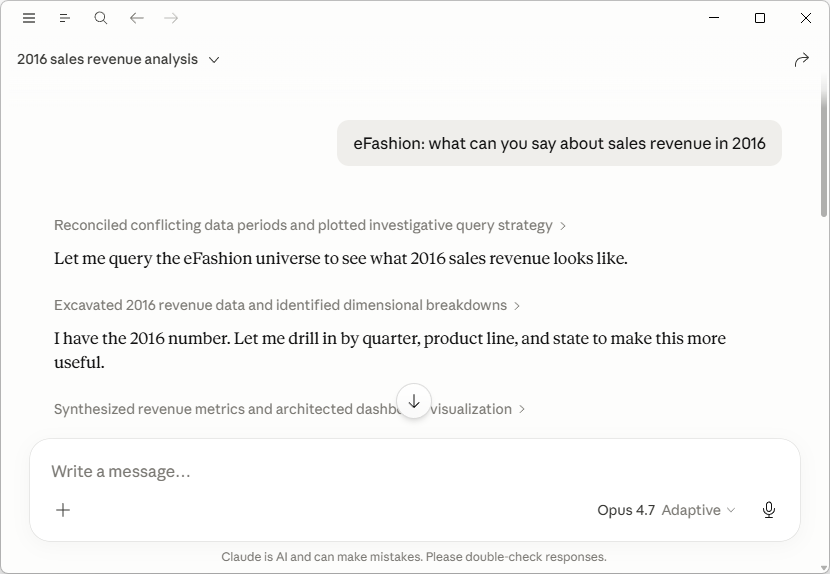
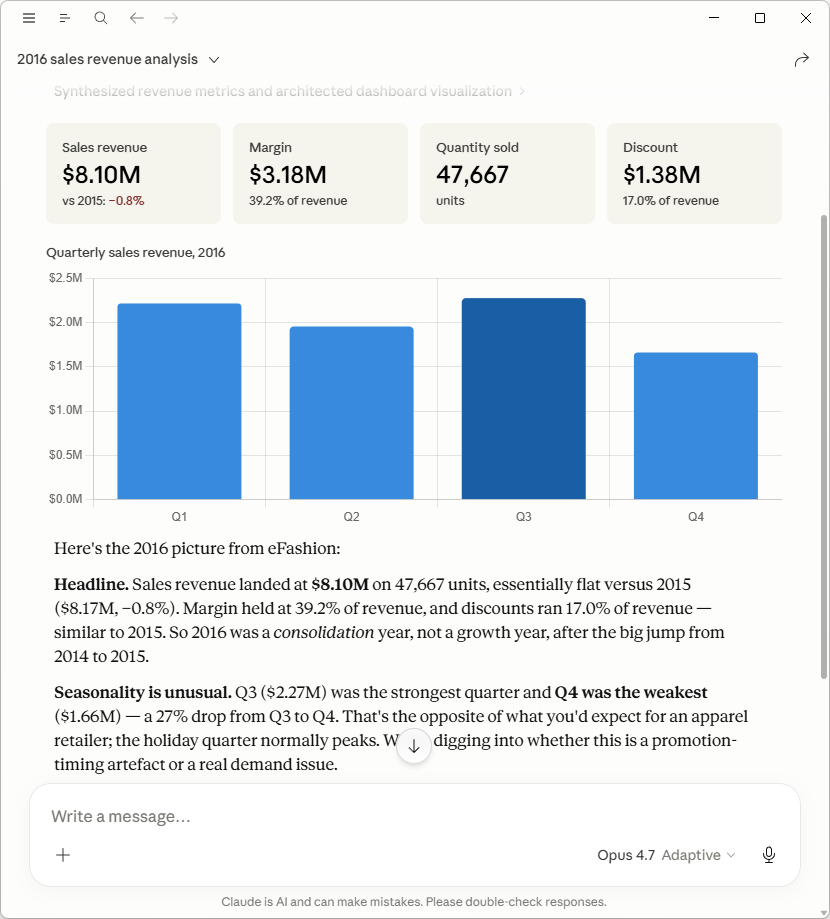
Let your AI assistant see the data inside your BO universes. BO Query MCP connects Claude (and any other MCP-compatible AI assistant) to your SAP BusinessObjects environment so you can ask questions in plain language and get answers built from real query results against your universes — not from the assistant’s guesses about what your data might look like.
What you can do with it
- Validate data quickly. “Did EMEA revenue dip in March or is that just my dashboard?” The assistant pulls the numbers from the universe and tells you.
- Run analyses you’d otherwise build by hand. Describe the slice you want — top 10 customers by margin, year-over-year by product line, anomalies vs. last quarter — and let the assistant assemble the query, run it, and explain the result.
- Cross-check a report. Paste a number from a Webi document into chat and ask the assistant to verify it with a fresh query against the source universe.
- Compare across universes. “Is the Customer Count measure consistent between Sales and CRM?” — the assistant runs both queries and highlights the gap.
What it does, technically
- Discover universes:
list_universesreturns every universe in your CMS by name and folder. - Inspect schemas:
describe_universereturns a compact, LLM-friendly catalog of dimensions, measures, and predefined filters with their full paths and data types — no internal IDs. - Run ad-hoc queries:
run_querycreates a transient Web Intelligence document, runs your query against the universe, and streams the result back as CSV. Supports comparison filters (Equal,Between,Like,InList, …), predefined filters, and AND/OR combinators. - Inspect SQL:
inspect_sqlreturns the SQL the query would send to the database without executing it — useful for debugging or showing a user what’s behind a number before pulling rows.
Pair with kbmcp (separate MCP server) if you want the assistant to keep persistent notes about your environment — column conventions, prompts a universe requires, prior findings — across sessions.
Everything is read-only against your CMS. Query documents are transient and dissolve with the session — nothing is written back.
Built on the BIP REST API
No SAP SDK or server-side install required. BO Query MCP talks to your BO platform over HTTPS, so it runs on any workstation with a network route to your BIP server.
Free vs PRO
The free preview of first 10 rows is enough to validate a query, see the column shape, and decide whether full data is worth pulling. PRO removes the row cap.
Buy Biclever PRO €300/year/user
Prerequisite
- A reachable SAP BusinessObjects BIP REST endpoint (BO 4.x or 2025).
- A BIP account with permission to create documents in Web Intelligence.
- Java 17 or later.
- An MCP-compatible client (Claude Desktop, Claude Code, Cursor, etc.).
No client-side BO install needed — the server runs as a standalone Java process and Claude Desktop launches it on demand.

