

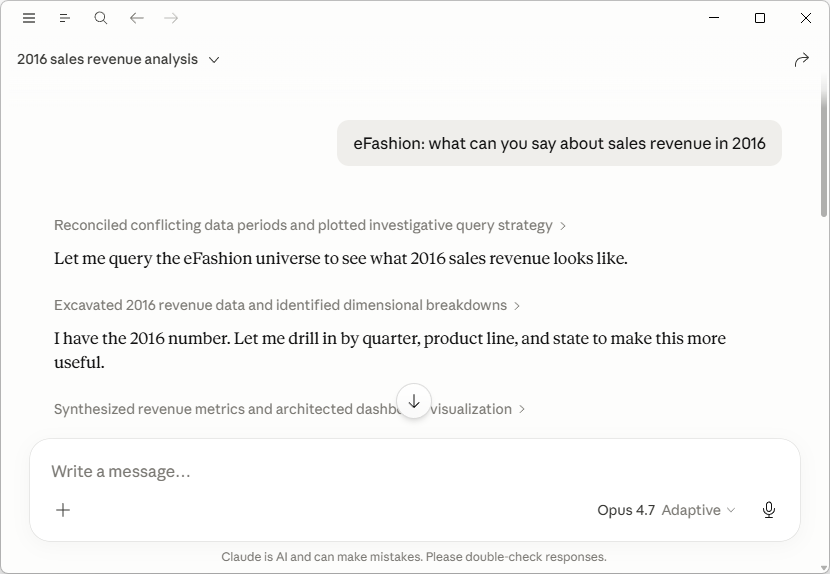
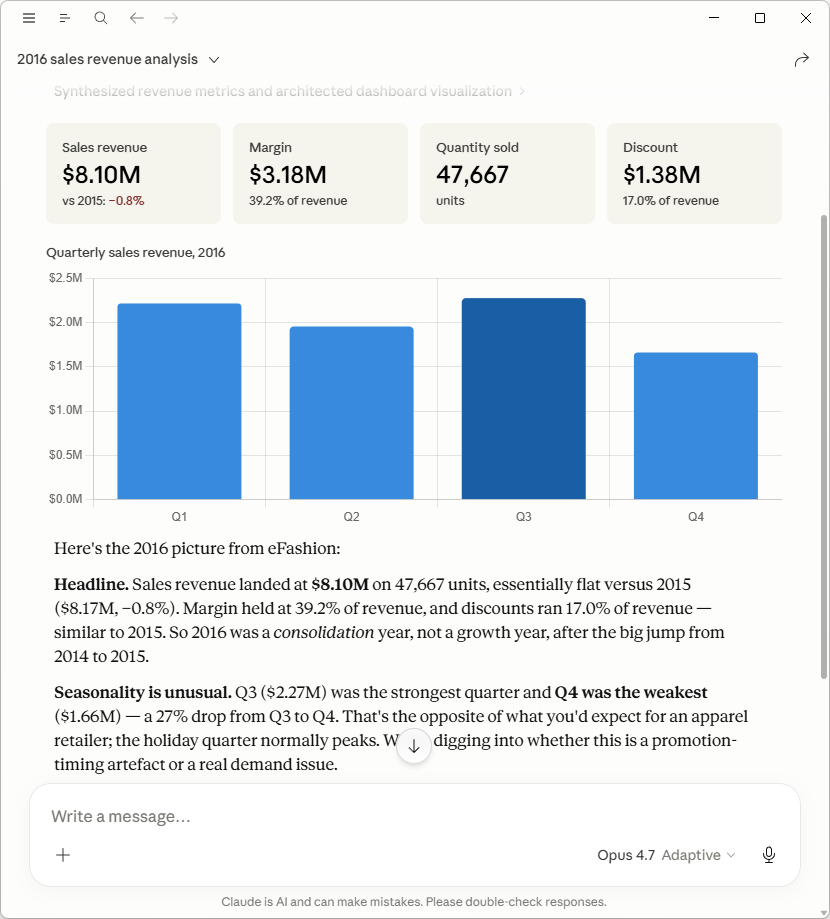
Bring your BO universes to your AI assistant. Webi MCP exposes SAP BusinessObjects metadata and Web Intelligence query execution as standard Model Context Protocol tools. Point Claude Desktop (or any MCP client) at the server and your assistant can run ad-hoc queries.
What it does
- Discover universes:
list_universesreturns every universe in your CMS by name and folder. - Inspect schemas:
describe_universereturns a compact, LLM-friendly catalog of dimensions, measures, and predefined filters with their full paths and data types — no internal IDs. - Run ad-hoc queries:
run_querycreates a transient Web Intelligence document, runs your query against the universe, and streams the result back as CSV. Supports comparison filters (Equal,Between,Like,InList, …), predefined filters, and AND/OR combinators. - Persistent notes: a built-in scratchpad lets the assistant record findings between sessions — what columns to use, what conventions apply, what prompts a universe requires — so it doesn’t relearn your environment on every conversation. Notes are stored locally with the MCP server.
Everything is read-only against your CMS. Query documents are transient and dissolve with the session — nothing is written back.
Built on the BIP REST API
No SAP SDK or server-side install required. Webi MCP talks to your BO platform over HTTPS, so it runs on any workstation with a network route to your BIP server.
Free vs PRO
The free preview of first 10 rows is enough to validate a query, see the column shape, and decide whether full data is worth pulling. PRO removes the row cap.
Buy Biclever PRO €300/year/user
Prerequisite
- A reachable SAP BusinessObjects BIP REST endpoint (BO 4.x or 2025).
- Java 17 or later on the workstation that runs Webi MCP.
- An MCP-compatible client (Claude Desktop, Claude Code, Cursor, etc.).
No client-side BO install needed — the server runs as a standalone Java process and Claude Desktop launches it on demand.
Information
Downloads
Support
Do you need an MCP for another BI tool or workflow? We’d love to hear from you at support@biclever.com.

